> ## Documentation Index
> Fetch the complete documentation index at: https://docs.leapter.com/llms.txt
> Use this file to discover all available pages before exploring further.
# Changelog
> The latest and upcoming features in Leapter, plus an overview of everything you can do — with links into the docs.
Latest changes first. Looking for a specific capability instead? Jump to **[All features](#all-features)** for a complete, linked index.
Dates reflect when each change reached the product. Some larger initiatives roll out gradually
behind feature flags, so an item may appear here shortly before it becomes visible in your workspace.
Pressing **Cmd+I** drops the node you have selected straight into the Lab Agent chat.
Blueprints move to a LogicFlow-JSON storage format for quicker loads and saves.
***
Every version of a project becomes a change you can inspect, compare, and restore — with a stream-aware graph that shows drafts forking from and merging back into main, and **View conversation** to reopen the Lab Agent chat behind any change. See [Timeline](/fundamentals/track-changes/timeline).
Pick a [change workflow](/fundamentals/track-changes/change-workflow) per project: apply edits directly, or hold them on a draft and gate delivery to main with reviewers and [approval rules](/fundamentals/track-changes/review-and-approvals) — four-eyes approval, passing tests, resolved comments, and more.
***
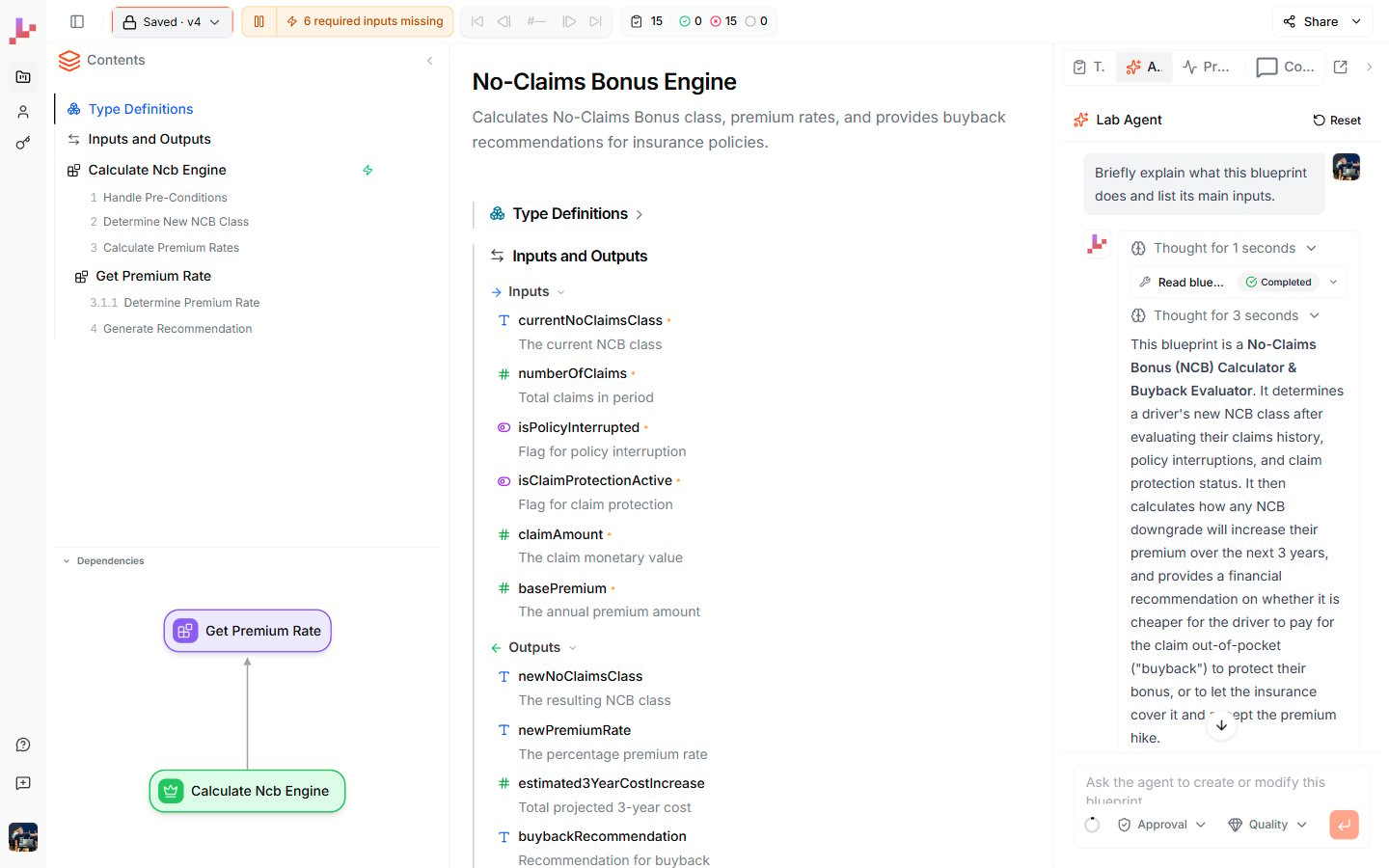 Now the single home for AI-assisted work — **@-mention pills** and **auto-generated tests** run through the agent.
Foundations for self-hosted, enterprise deployments.
***
An agent that runs your Blueprints and tests, reads and writes your types, and creates and renames Blueprints — with approval and speed/quality modes.
Value and data types as a first-class, business-readable layer.
Share a project via link; viewers can copy it, and anonymous `/try` works without an account.
***
Now the single home for AI-assisted work — **@-mention pills** and **auto-generated tests** run through the agent.
Foundations for self-hosted, enterprise deployments.
***
An agent that runs your Blueprints and tests, reads and writes your types, and creates and renames Blueprints — with approval and speed/quality modes.
Value and data types as a first-class, business-readable layer.
Share a project via link; viewers can copy it, and anonymous `/try` works without an account.
***
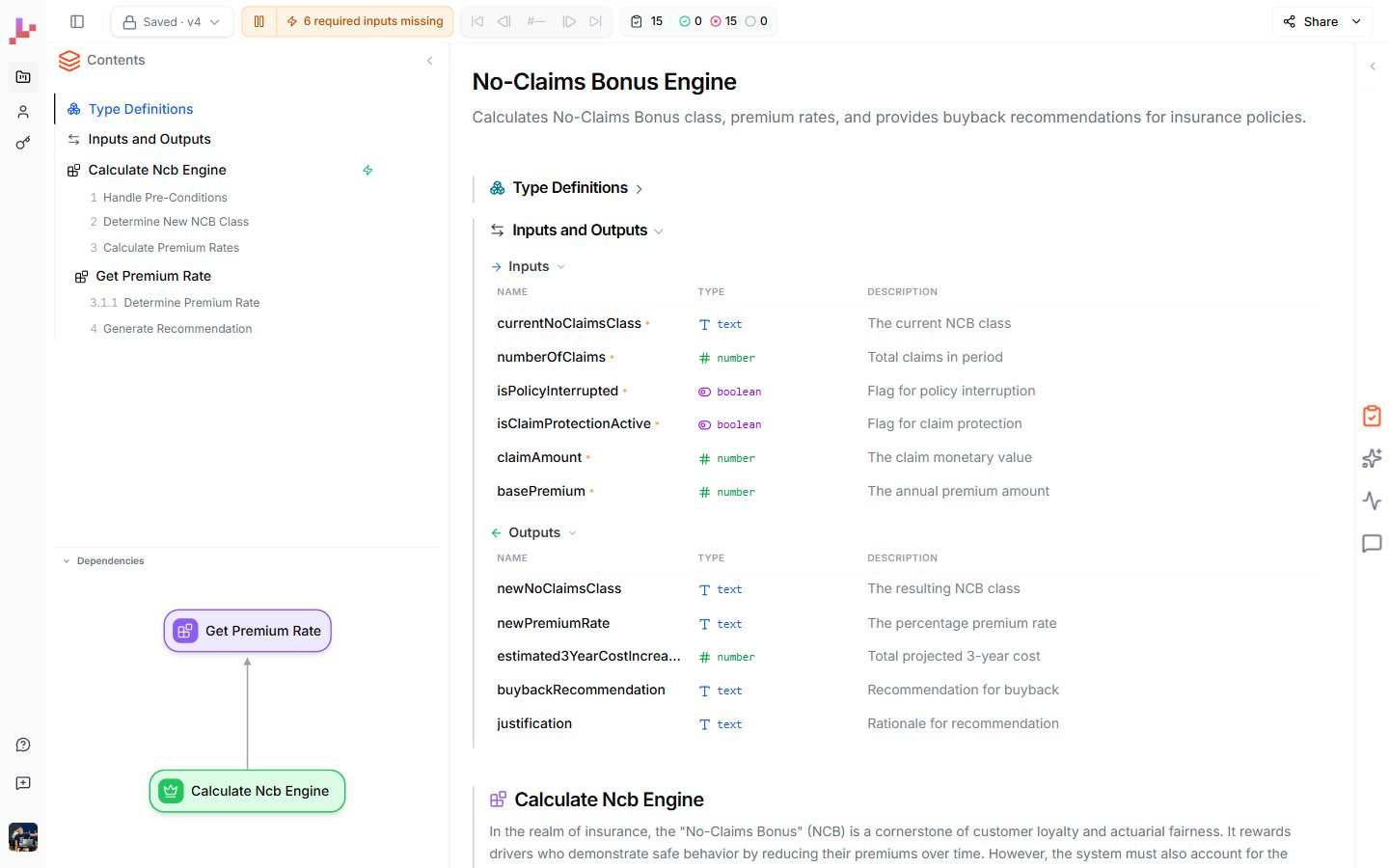 Spec, models, and types merged into one structured document, with **live and test execution in the browser** — no round trip.
Build reusable test cases and run them from the editor or CLI, plus a VS Code extension with Veritas highlighting.
***
**Natural-language operators** — `and`/`or`, `is`/`isnt`, `not`, and `absent` — plus execution traces distributed across the diagram.
In-process execution from the CLI, plus an MCP tool that renders a Blueprint viewer.
## All features
Everything you can do in Leapter, with a link to where each capability is documented.
### Create
Describe your logic and let Leapter build the Blueprint.
Start from a ready-made example and adapt it.
Build every node yourself on an empty canvas.
### Build & edit
Build and edit by chatting with AI — it runs your tests, too.
Click any node, title, or description to edit it in place.
Quick, scoped AI edits to the node, section, or Blueprint you select.
Keep your plain-language descriptions and your logic aligned.
### The editor
Your whole project as one structured, editable document.
Focus on a single Blueprint's flowchart.
Define each Blueprint's signature.
Reusable Value Types and Data Types.
Decisions, loops, returns, and errors.
Compose logic from reusable sub-Blueprints.
### Test
Run with sample inputs and step through the execution.
Reusable test cases — auto-generate them with the Lab Agent.
### Track changes
Every version of your project — inspect, compare, and restore.
Save edits directly, or hold them on a draft until you're ready.
Gate changes with reviewers and rules like four-eyes approval.
### Deploy & integrate
Call your Blueprint over HTTP from any application.
Connect AI assistants via the Model Context Protocol.
Export ready-made n8n workflows.
View your logic as JavaScript or Python.
Embed a read-only Blueprint viewer in any page.
Authenticate your integrations.
### Collaborate & share
Organize related Blueprints into projects.
Invite members and share projects.
Discuss specific nodes and sections with your team.
Generate a public, read-only link to a project.
Manage your account settings.
Spec, models, and types merged into one structured document, with **live and test execution in the browser** — no round trip.
Build reusable test cases and run them from the editor or CLI, plus a VS Code extension with Veritas highlighting.
***
**Natural-language operators** — `and`/`or`, `is`/`isnt`, `not`, and `absent` — plus execution traces distributed across the diagram.
In-process execution from the CLI, plus an MCP tool that renders a Blueprint viewer.
## All features
Everything you can do in Leapter, with a link to where each capability is documented.
### Create
Describe your logic and let Leapter build the Blueprint.
Start from a ready-made example and adapt it.
Build every node yourself on an empty canvas.
### Build & edit
Build and edit by chatting with AI — it runs your tests, too.
Click any node, title, or description to edit it in place.
Quick, scoped AI edits to the node, section, or Blueprint you select.
Keep your plain-language descriptions and your logic aligned.
### The editor
Your whole project as one structured, editable document.
Focus on a single Blueprint's flowchart.
Define each Blueprint's signature.
Reusable Value Types and Data Types.
Decisions, loops, returns, and errors.
Compose logic from reusable sub-Blueprints.
### Test
Run with sample inputs and step through the execution.
Reusable test cases — auto-generate them with the Lab Agent.
### Track changes
Every version of your project — inspect, compare, and restore.
Save edits directly, or hold them on a draft until you're ready.
Gate changes with reviewers and rules like four-eyes approval.
### Deploy & integrate
Call your Blueprint over HTTP from any application.
Connect AI assistants via the Model Context Protocol.
Export ready-made n8n workflows.
View your logic as JavaScript or Python.
Embed a read-only Blueprint viewer in any page.
Authenticate your integrations.
### Collaborate & share
Organize related Blueprints into projects.
Invite members and share projects.
Discuss specific nodes and sections with your team.
Generate a public, read-only link to a project.
Manage your account settings.