> ## Documentation Index
> Fetch the complete documentation index at: https://docs.leapter.com/llms.txt
> Use this file to discover all available pages before exploring further.
# Export as Code
> View and copy your Blueprint logic as JavaScript or Python code.
Leapter can transpile your Blueprint into JavaScript or Python code. This gives you a readable, standalone version of your logic that you can copy and use outside of Leapter.
## View the code
1. Open your Blueprint in the editor.
2. Click the **Share** button in the toolbar.
3. Select **Code**.
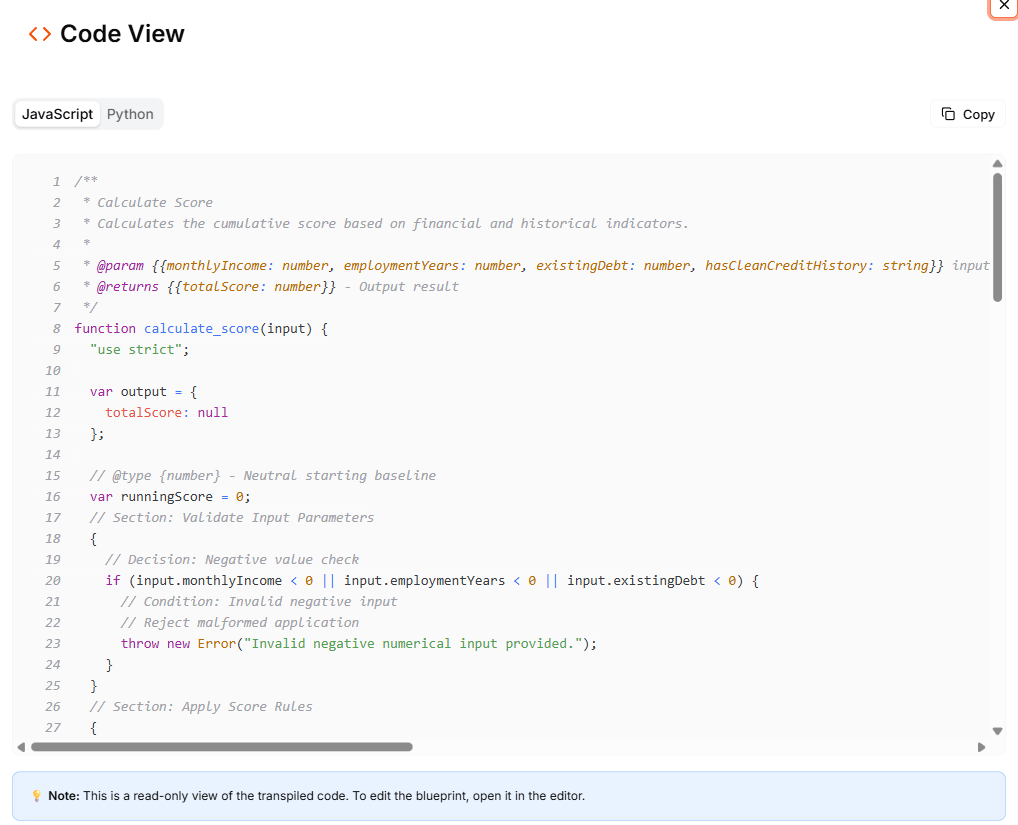 The Code View dialog opens with two tabs:
* **JavaScript** — your Blueprint transpiled to JavaScript
* **Python** — your Blueprint transpiled to Python
Both tabs display the code with syntax highlighting and line numbers. Click the **Copy** button to copy the code to your clipboard.
## What the code includes
The transpiled code is a self-contained representation of your Blueprint logic:
* **Function signatures** with typed parameters matching your Blueprint's data contract
* **JSDoc comments** (JavaScript) or **docstrings** (Python) describing inputs and outputs
* **Conditional logic, calculations, and data transformations** — the full execution flow of your Blueprint
The code is generated from the current state of your Blueprint in the editor.
The Code View is read-only. To edit your Blueprint, use the [Blueprint Editor](/fundamentals/leapter-canvas/introduction).
## Use cases
* **Code review** — inspect the generated logic to verify correctness
* **Porting to other systems** — use the code as a starting point for implementing the logic in your own codebase
* **Documentation** — include the code in technical documentation to explain what a Blueprint does
* **Version comparison** — copy the code at different points in time to compare changes
## What to do next
* **[Code Workflow](/executing-blueprints/n8n-code)** — export the code as part of an n8n workflow
* **[Web API (OpenAPI)](/executing-blueprints/connect-rest-api)** — call your Blueprint via REST instead of running the code yourself
* **[Embed in Websites](/executing-blueprints/embed)** — embed an interactive Blueprint viewer in a webpage
The Code View dialog opens with two tabs:
* **JavaScript** — your Blueprint transpiled to JavaScript
* **Python** — your Blueprint transpiled to Python
Both tabs display the code with syntax highlighting and line numbers. Click the **Copy** button to copy the code to your clipboard.
## What the code includes
The transpiled code is a self-contained representation of your Blueprint logic:
* **Function signatures** with typed parameters matching your Blueprint's data contract
* **JSDoc comments** (JavaScript) or **docstrings** (Python) describing inputs and outputs
* **Conditional logic, calculations, and data transformations** — the full execution flow of your Blueprint
The code is generated from the current state of your Blueprint in the editor.
The Code View is read-only. To edit your Blueprint, use the [Blueprint Editor](/fundamentals/leapter-canvas/introduction).
## Use cases
* **Code review** — inspect the generated logic to verify correctness
* **Porting to other systems** — use the code as a starting point for implementing the logic in your own codebase
* **Documentation** — include the code in technical documentation to explain what a Blueprint does
* **Version comparison** — copy the code at different points in time to compare changes
## What to do next
* **[Code Workflow](/executing-blueprints/n8n-code)** — export the code as part of an n8n workflow
* **[Web API (OpenAPI)](/executing-blueprints/connect-rest-api)** — call your Blueprint via REST instead of running the code yourself
* **[Embed in Websites](/executing-blueprints/embed)** — embed an interactive Blueprint viewer in a webpage