> ## Documentation Index
> Fetch the complete documentation index at: https://docs.leapter.com/llms.txt
> Use this file to discover all available pages before exploring further.
# Export as Code
> View and copy your Blueprint logic as JavaScript, Python, or Veritas code.
Leapter can transpile your Blueprints into JavaScript or Python code, and show them in Veritas, the language Leapter stores them in. This gives you a readable, standalone version of your logic that you can copy and use outside of Leapter.
## View the code
1. Open your Blueprint in the editor.
2. Click the **Share** button in the toolbar.
3. Select **Code**.
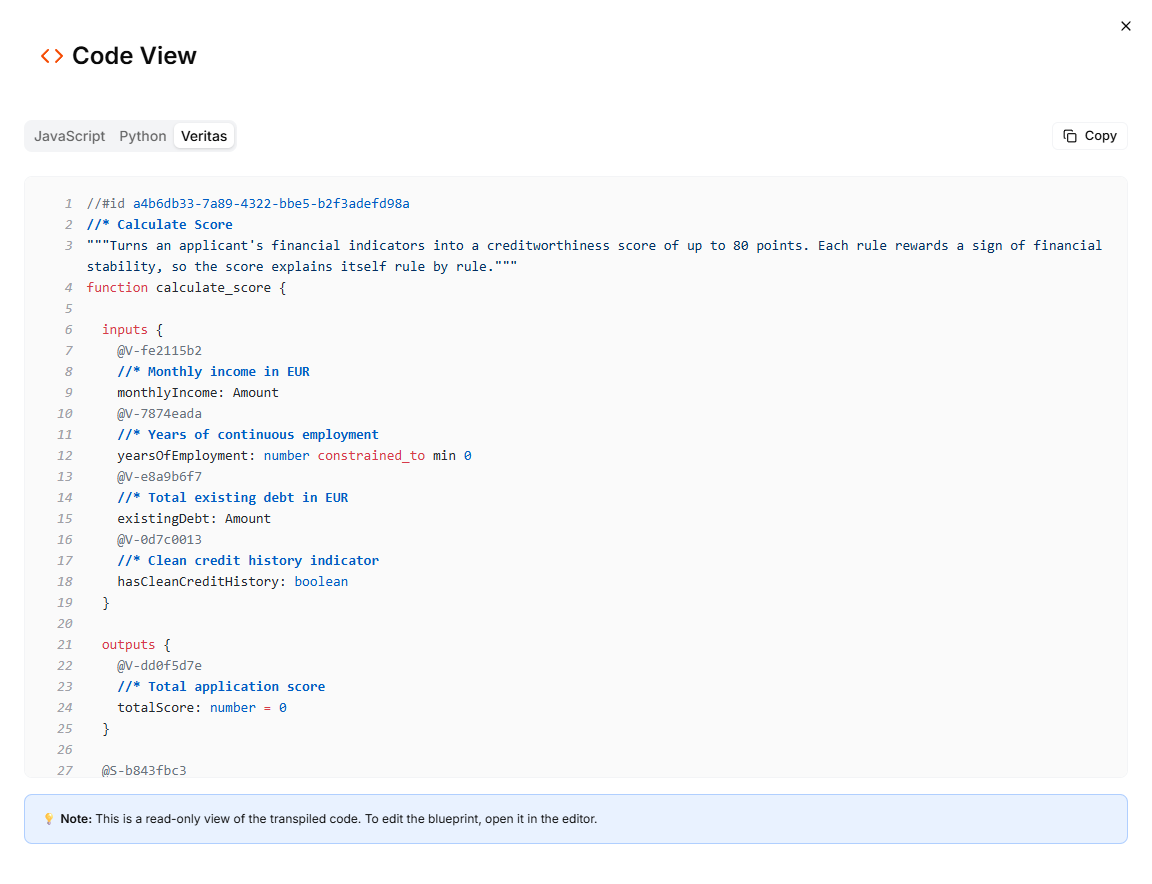 The Code View dialog opens with three tabs:
* **JavaScript** — your Blueprints transpiled to JavaScript
* **Python** — your Blueprints transpiled to Python
* **Veritas** — your Blueprints in Veritas, the language Leapter stores them in
Each tab shows the code of every Blueprint in the project, with syntax highlighting and line numbers. Click the **Copy** button to copy the code to your clipboard.
## What the code includes
The transpiled code is a self-contained representation of your Blueprint logic:
* **Function signatures** with typed parameters matching your Blueprint's data contract
* **JSDoc comments** (JavaScript) or **docstrings** (Python) describing inputs and outputs
* **Conditional logic, calculations, and data transformations** — the full execution flow of your Blueprint
The code is generated from the current state of your Blueprint in the editor.
The Code View is read-only. To edit your Blueprint, use the [Blueprint Editor](/editor/introduction).
## Use cases
* **Code review** — inspect the generated logic to verify correctness
* **Porting to other systems** — use the code as a starting point for implementing the logic in your own codebase
* **Documentation** — include the code in technical documentation to explain what a Blueprint does
* **Version comparison** — copy the code at different points in time to compare changes
## What to do next
* **[Code Workflow](/release-and-integrate/n8n-code)** — export the code as part of an n8n workflow
* **[Web API (OpenAPI)](/release-and-integrate/connect-rest-api)** — call your Blueprint via REST instead of running the code yourself
* **[Embed in Websites](/release-and-integrate/embed)** — embed an interactive Blueprint viewer in a webpage
This documentation is built and hosted on [Mintlify](https://mintlify.com), a developer documentation platform.
The Code View dialog opens with three tabs:
* **JavaScript** — your Blueprints transpiled to JavaScript
* **Python** — your Blueprints transpiled to Python
* **Veritas** — your Blueprints in Veritas, the language Leapter stores them in
Each tab shows the code of every Blueprint in the project, with syntax highlighting and line numbers. Click the **Copy** button to copy the code to your clipboard.
## What the code includes
The transpiled code is a self-contained representation of your Blueprint logic:
* **Function signatures** with typed parameters matching your Blueprint's data contract
* **JSDoc comments** (JavaScript) or **docstrings** (Python) describing inputs and outputs
* **Conditional logic, calculations, and data transformations** — the full execution flow of your Blueprint
The code is generated from the current state of your Blueprint in the editor.
The Code View is read-only. To edit your Blueprint, use the [Blueprint Editor](/editor/introduction).
## Use cases
* **Code review** — inspect the generated logic to verify correctness
* **Porting to other systems** — use the code as a starting point for implementing the logic in your own codebase
* **Documentation** — include the code in technical documentation to explain what a Blueprint does
* **Version comparison** — copy the code at different points in time to compare changes
## What to do next
* **[Code Workflow](/release-and-integrate/n8n-code)** — export the code as part of an n8n workflow
* **[Web API (OpenAPI)](/release-and-integrate/connect-rest-api)** — call your Blueprint via REST instead of running the code yourself
* **[Embed in Websites](/release-and-integrate/embed)** — embed an interactive Blueprint viewer in a webpage
This documentation is built and hosted on [Mintlify](https://mintlify.com), a developer documentation platform.