One of the cornerstones in our philosophy is to include as many types of users as possbile in the process of creating software with Leapter. That includes subject matter experts in particular.
The main feature to enable them is the use of a specification as basis for not only initially creating a blueprint but also to maintain it by also doing the enhancements and changes in the specification view.
Access Specification Mode
To make edits to your Blueprint you have to open the specification mode while working on the Canvas (see picture below):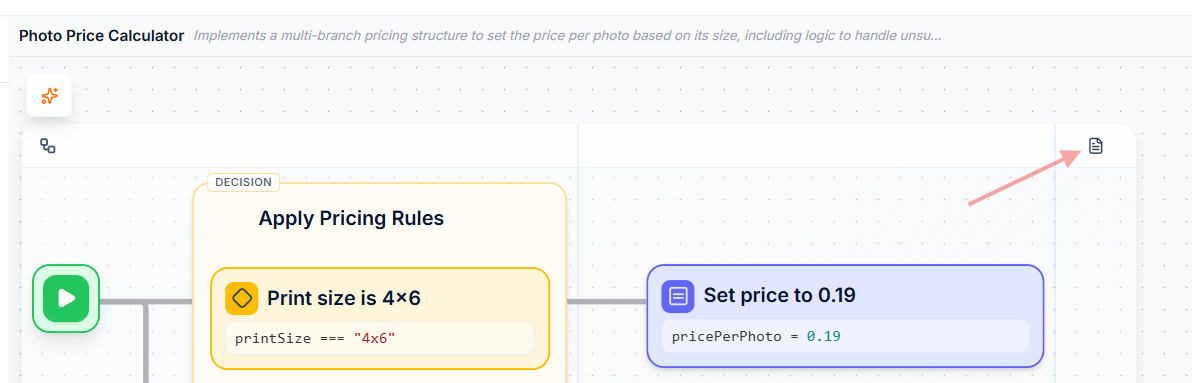
Once you entered the specification view there are two ways to apply your changes
1. Directly by editing the spec
That option enables you to make your changes directly in the text. E.g. if you want to change the price of a photo just select the current price and change as required.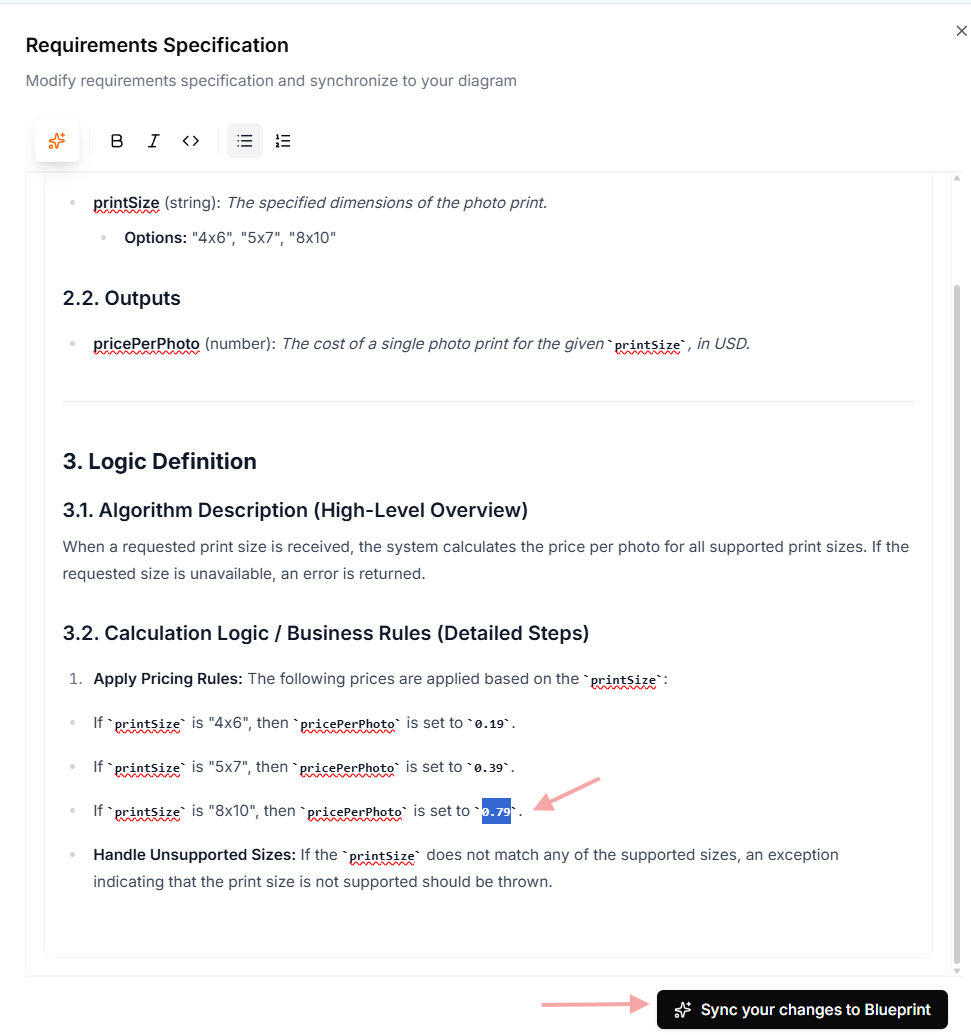
2. Using the AI Assistant
Another very convenient option for adjusting the specification is to let the AI help you. Just use the AI Assistant prompt to tell the system what you want to have changed.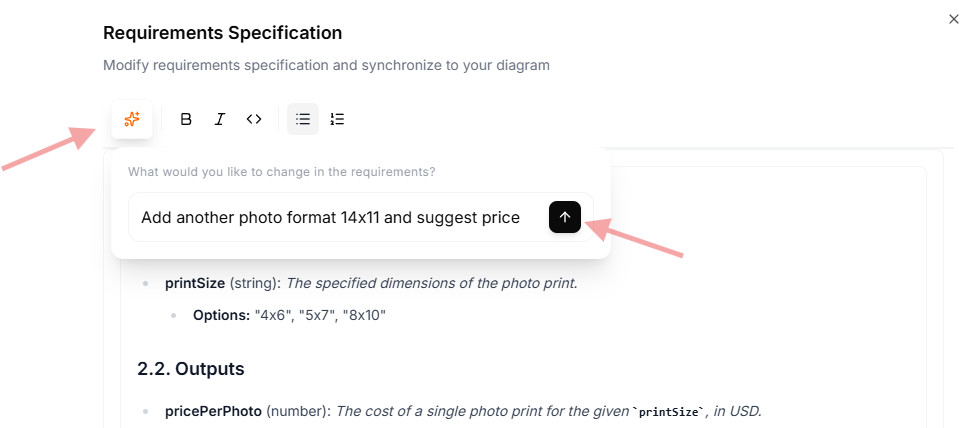
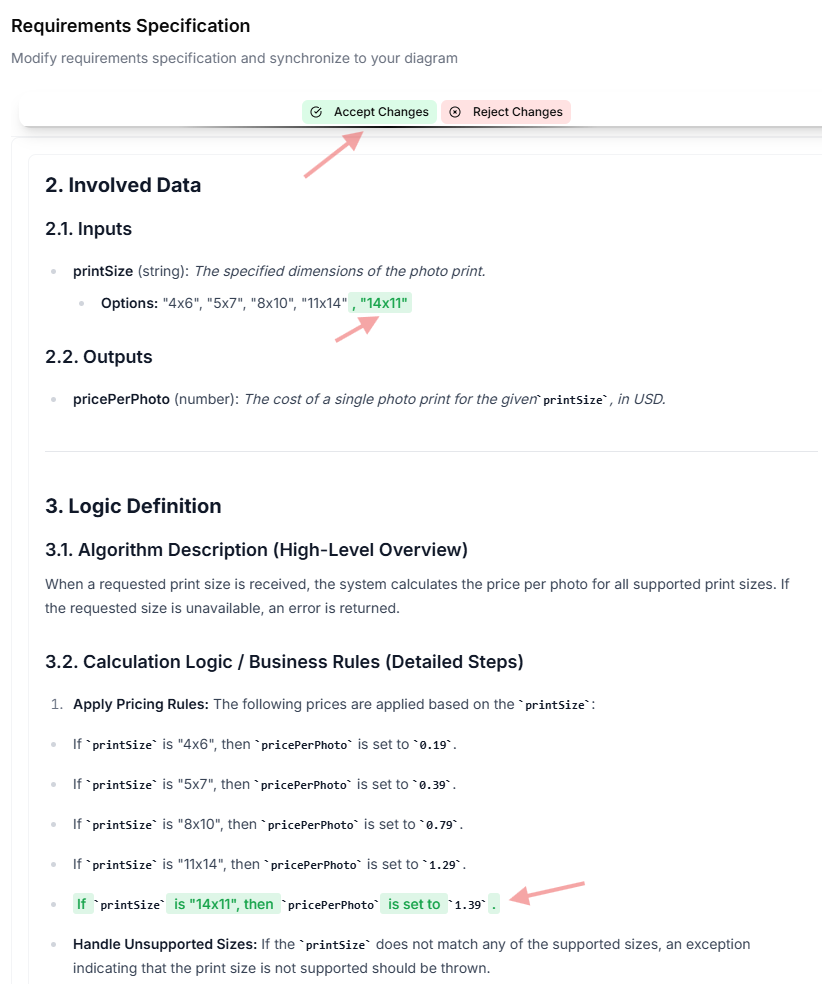
Apply changes in the Blueprint
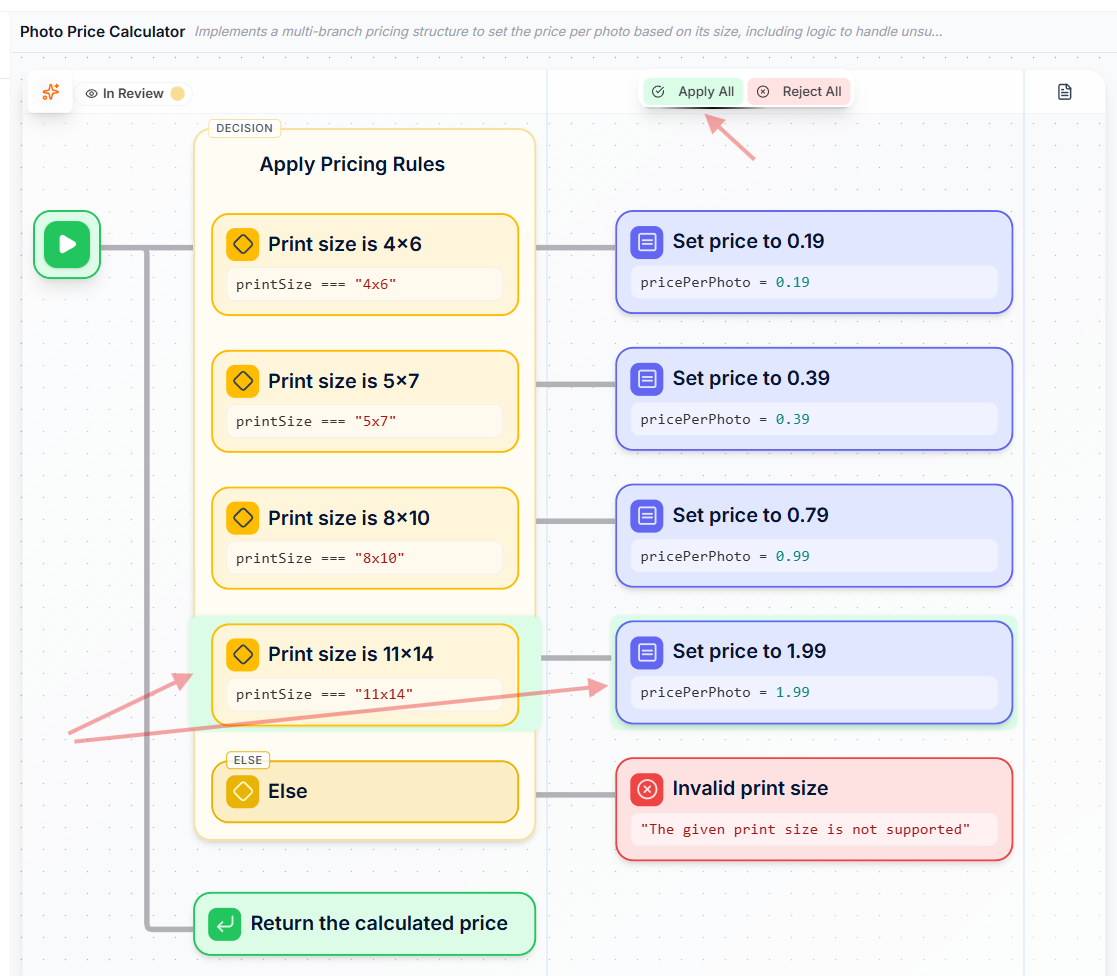
Independently how you applied your changes, once you hit “sync your changes with Blueprint” the system will jump back into the canvas and highlight the required changes according to your new version of the specification. If you are ok with them “accept” the changes.