

Dates reflect when each change reached the product. Some larger initiatives roll out gradually
behind feature flags, so an item may appear here shortly before it becomes visible in your workspace.
Blueprints move to a LogicFlow-JSON storage format for quicker loads and saves.
Every version of a project becomes a change you can inspect, compare, and restore — with a stream-aware graph that shows drafts forking from and merging back into main, and View conversation to reopen the Lab Agent chat behind any change. See Timeline.
Pick a change workflow per project: apply edits directly, or hold them on a draft and gate delivery to main with reviewers and approval rules — four-eyes approval, passing tests, resolved comments, and more.
Express first-match business rules as a grid of inputs and outcomes instead of a long chain of decisions — clearer to read and easier to review. The Lab Agent now builds one whenever a rule is really a lookup. See Decision Tables.
Connect external tools like Linear and GitHub so the Lab Agent can use them on your behalf — enabled per workspace by an owner, connected individually by each member. See Integrations.
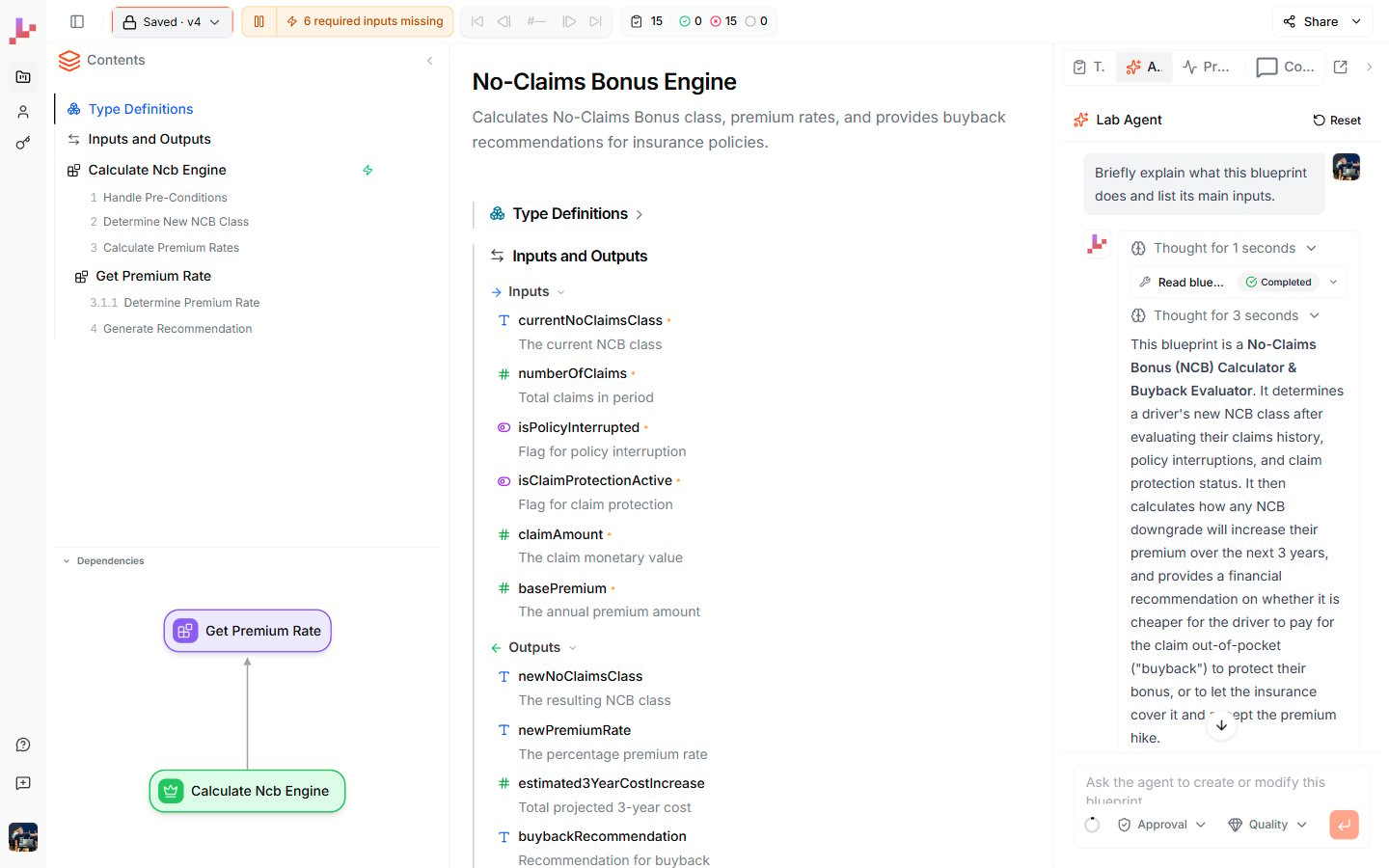
The Lab Agent answers questions and edits your Blueprint from a chat panel beside the canvas.
Foundations for self-hosted, enterprise deployments.
Everything now lives in a workspace you share with your team — the old split between a personal account and separate teams is gone. Switch workspaces from the sidebar, and invite members with owner or member roles. See Workspaces.
Pressing Ctrl+I (Cmd+I on Mac) with a node selected drops it into the Lab Agent chat as a reference, instead of opening a separate edit bar. See Edit with Ctrl+I.
An agent that runs your Blueprints and tests, reads and writes your types, and creates and renames Blueprints — with approval and speed/quality modes.
Value and data types as a first-class, business-readable layer.
Share a project via link; viewers can copy it, and anonymous
/try works without an account.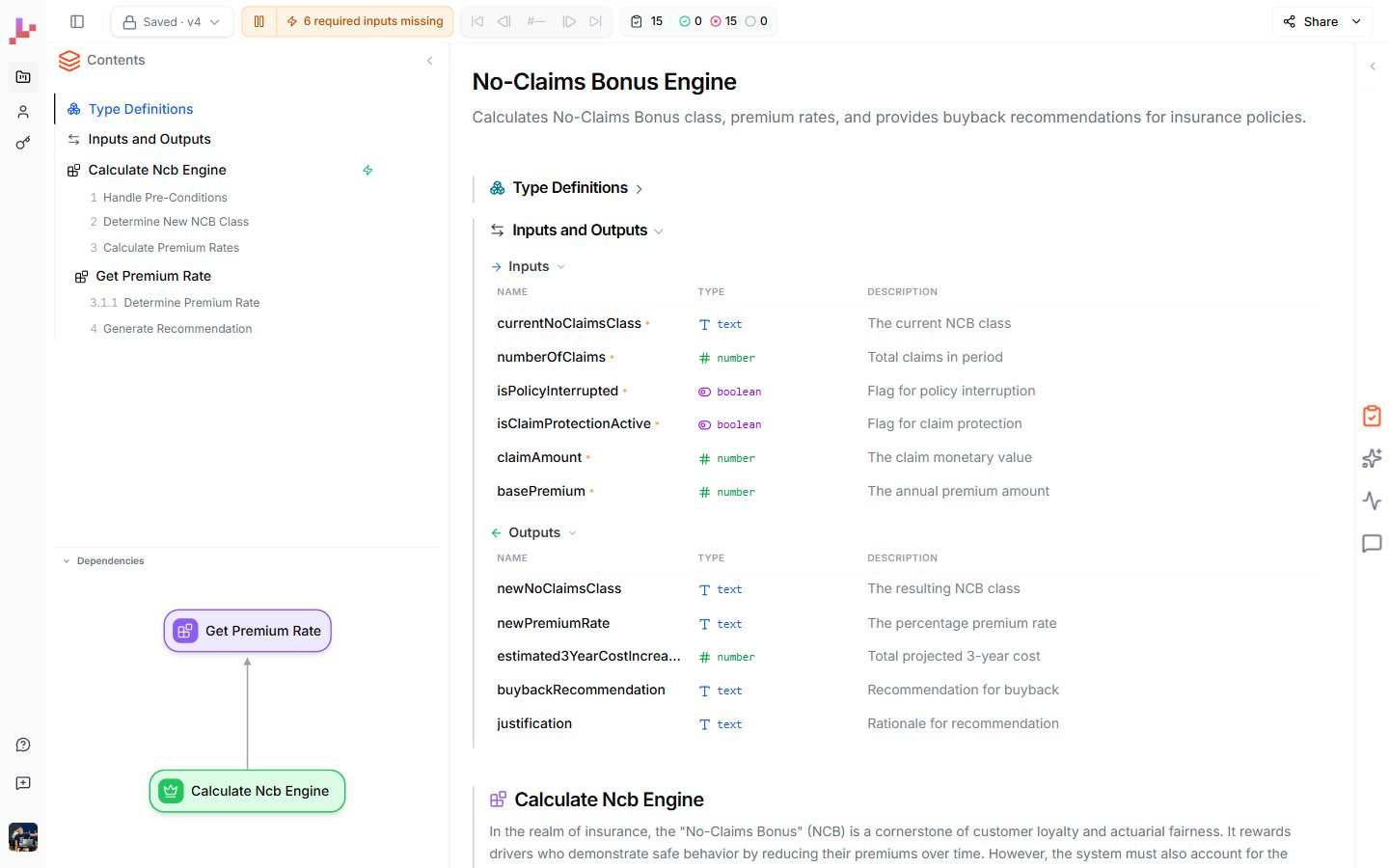
The unified Specification View: Contents, Type Definitions, Inputs & Outputs, and embedded Blueprints in one document.
Build reusable test cases and run them from the editor or CLI, plus a VS Code extension with Veritas highlighting.
Natural-language operators —
and/or, is/isnt, not, and absent — plus execution traces distributed across the diagram.In-process execution from the CLI, plus an MCP tool that renders a Blueprint viewer.
All features
Everything you can do in Leapter, with a link to where each capability is documented.Create
Generate with AI
Describe your logic and let Leapter build the Blueprint.
From a template
Start from a ready-made example and adapt it.
From scratch
Build every node yourself on an empty canvas.
Build & edit
Lab Agent
Build and edit by chatting with AI — it runs your tests, too.
Inline editing
Click any node, title, or description to edit it in place.
Edit with Ctrl+I
Press Ctrl+I to point the Lab Agent at the node you selected.
Logic & Descriptions
Keep your plain-language descriptions and your logic aligned.
The editor
Specification View
Your whole project as one structured, editable document.
Diagram View
Focus on a single Blueprint’s flowchart.
Inputs & Outputs
Define each Blueprint’s signature.
Type Definitions
Reusable Value Types and Data Types.
Controlling the Flow
Decisions, loops, returns, and errors.
Decision Tables
First-match rules as a grid of inputs and outcomes.
Calling Other Blueprints
Compose logic from reusable sub-Blueprints.
Test
Test your Blueprint
Run with sample inputs and step through the execution.
Test Suites
Reusable test cases — auto-generate them with the Lab Agent.
Track changes
Timeline
Every version of your project — inspect, compare, and restore.
Change Workflow
Save edits directly, or hold them on a draft until you’re ready.
Review & Approvals
Gate changes with reviewers and rules like four-eyes approval.
Deploy & integrate
REST API
Call your Blueprint over HTTP from any application.
MCP
Connect AI assistants via the Model Context Protocol.
n8n
Export ready-made n8n workflows.
Export as Code
View your logic as JavaScript or Python.
Embed
Embed a read-only Blueprint viewer in any page.
API Keys
Authenticate your integrations.
Collaborate & share
Projects
Organize related Blueprints into projects.
Workspaces
Invite members and share projects in a workspace.
Comments
Discuss specific nodes and sections with your team.
Sharing
Generate a public, read-only link to a project.
Integrations
Connect external tools for the Lab Agent to use.
Profile
Manage your personal settings.