

What this creates
The Code Workflow is a 3-node n8n workflow:Export the workflow
- Open your Blueprint in the editor.
- Click the Share button in the toolbar.
- Select n8n.
- In the Export to n8n dialog, select the Code Workflow tab.
- Click Copy to Clipboard.
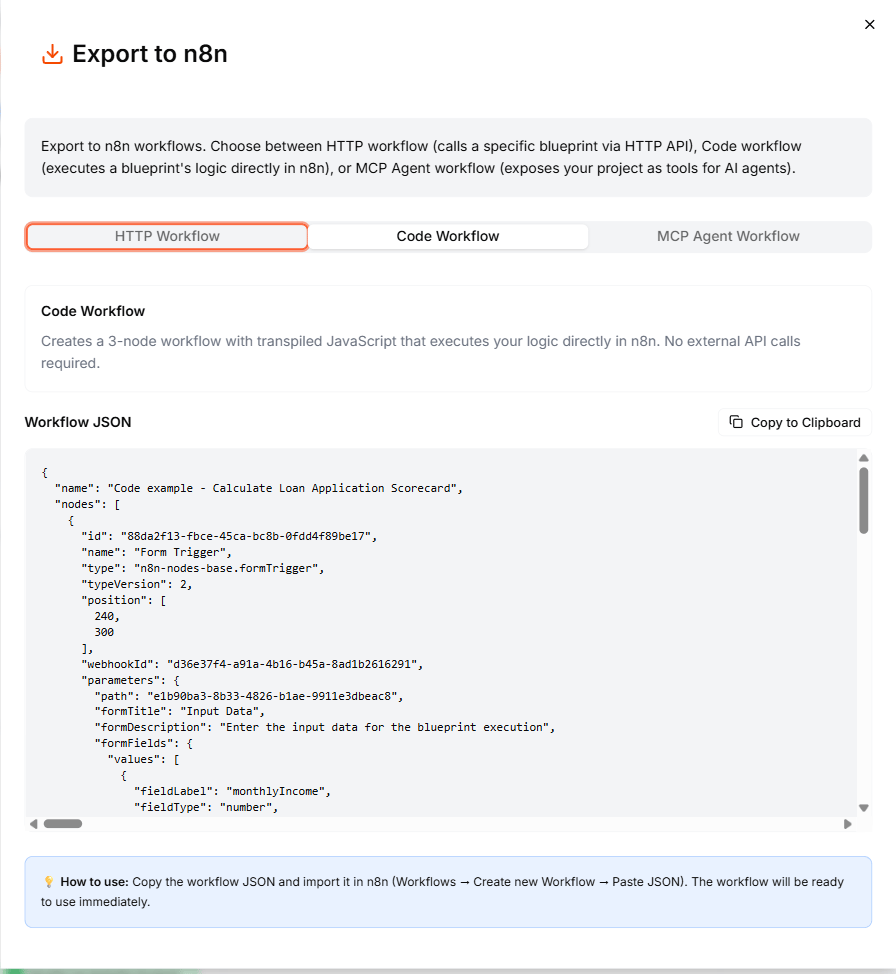
Import into n8n
- Open your n8n instance.
- Create a new workflow.
- Click the three-dot menu (or use Ctrl+V / Cmd+V) and select Import from clipboard.
- The 3-node workflow appears on the canvas.
How the Code node works
The Code node contains your Blueprint logic transpiled to JavaScript. You can open it to inspect the code, but you do not need to modify it. The code:- Reads inputs from the Form Trigger node
- Executes your Blueprint’s logic (conditions, calculations, data transformations)
- Returns the outputs for the final Form node to display
Since the code is a snapshot of your Blueprint at export time, you need to re-export the workflow if you update your Blueprint.
Run the workflow
- Click Test Workflow to run it manually.
- Fill in the form with your test inputs.
- The Code node executes your logic and the Form node displays the results.
When to use Code vs HTTP
What to do next
- HTTP Workflow — export a workflow that calls the API instead
- MCP Agent Workflow — use your Blueprints as AI agent tools in n8n
- Export as Code — view and copy the transpiled code outside of n8n