

The agent uses the latest release of your project. If the project has no release yet, the MCP Agent Workflow tab shows No release yet with a Create release button instead of the workflow.
What this creates
The MCP Agent Workflow is a 4-node n8n workflow:Export the workflow
- Open any Blueprint in the editor.
- Click the Share button in the toolbar.
- Select n8n.
- In the Export to n8n dialog, select the MCP Agent Workflow tab.
- Click Copy to Clipboard.
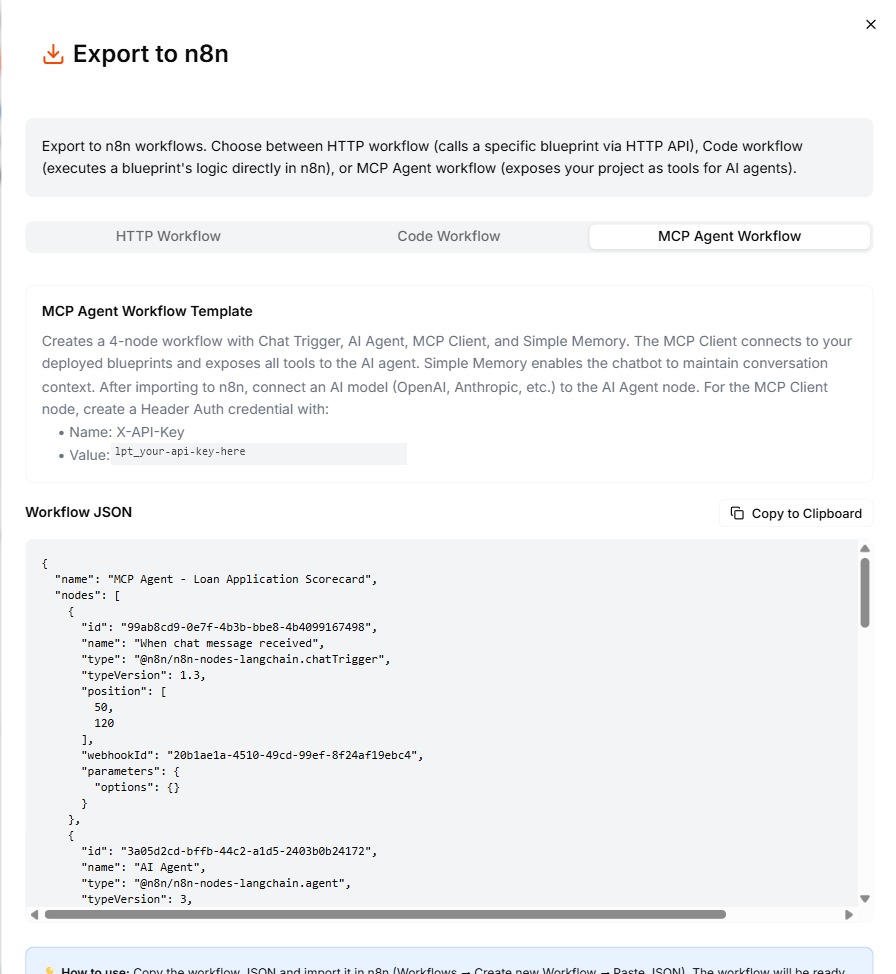
Select the MCP Agent Workflow tab and copy the workflow to your clipboard.
Import into n8n
- Open your n8n instance.
- Create a new workflow.
- Click the three-dot menu (or use Ctrl+V / Cmd+V) and select Import from clipboard.
- The 4-node workflow appears on the canvas.
Post-import setup
After importing, you need to configure two things before the workflow can run.Connect an AI model
- Open the AI Agent node.
- Connect an AI model (OpenAI, Anthropic, Google, or any supported provider).
- Configure the model credentials if you have not already set them up in n8n.
Configure the MCP Client
- Open the MCP Client node.
- Create a Header Auth credential:
- Header name:
X-API-Key - Header value: your Leapter API key
- Header name:
- Save the credential.
Run the workflow
- Click Test Workflow (or Chat in the bottom panel) to open the chat interface.
- Type a message that relates to your Blueprint’s logic.
- The AI agent decides which Blueprint(s) to call, executes them via MCP, and returns a natural language response.
What to do next
- HTTP Workflow: export a workflow that calls a specific Blueprint via HTTP
- Code Workflow: run Blueprint logic directly in n8n
- AI Protocol (MCP): connect other MCP clients to your Blueprints